
Welcome to sshy
Your powerful SSH connection manager and terminal client for iOS
App Preview
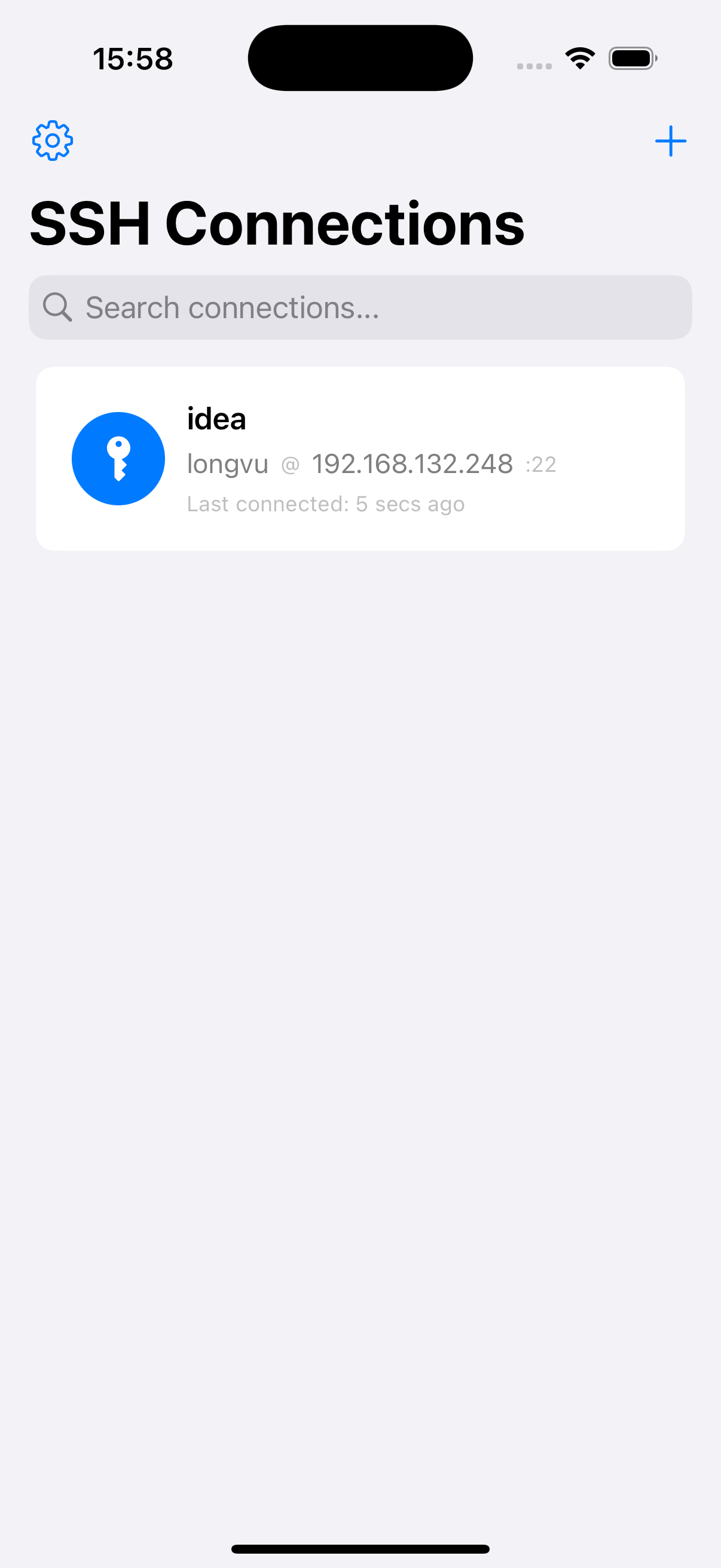
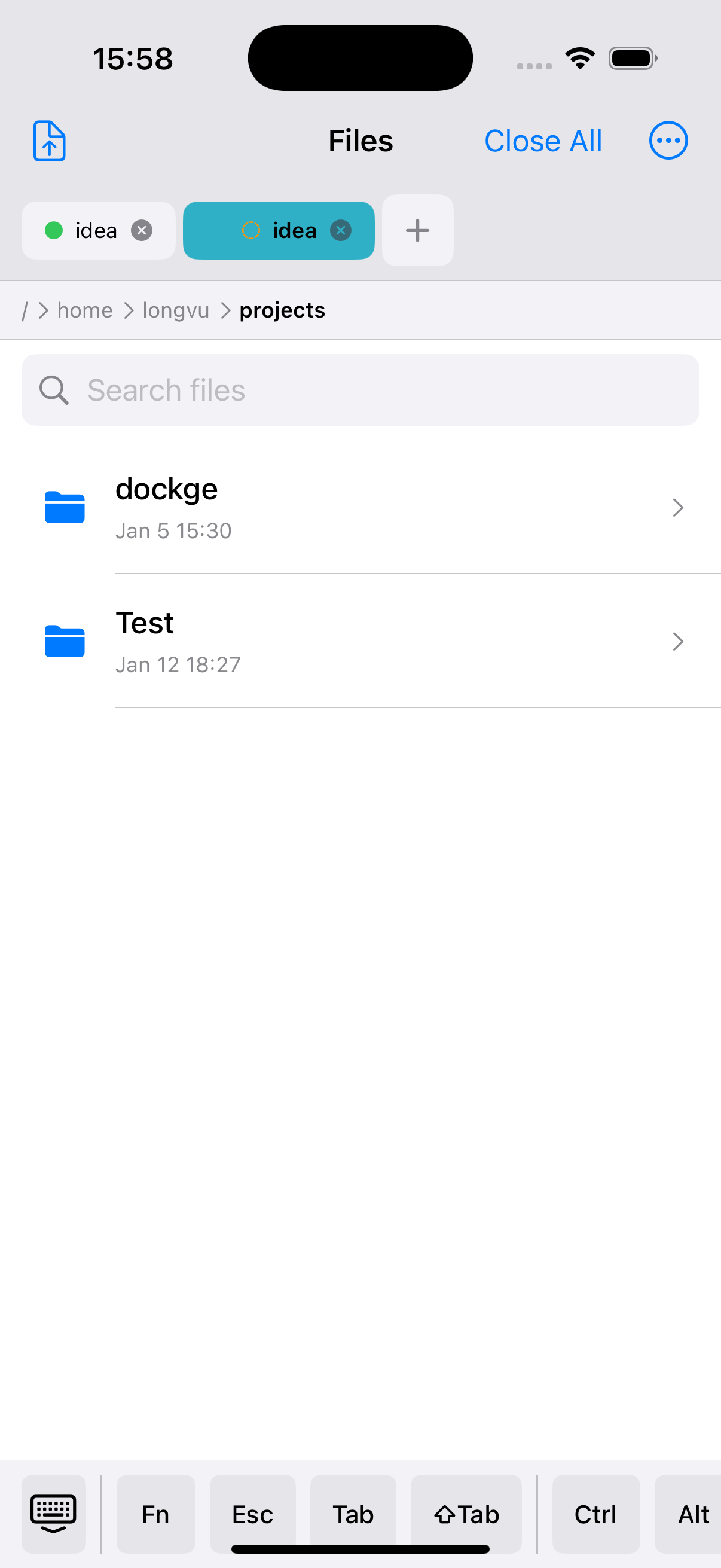

Secure Connection Management
Manage multiple SSH connections with ease. All credentials are securely stored in iOS Keychain with device-only encryption.
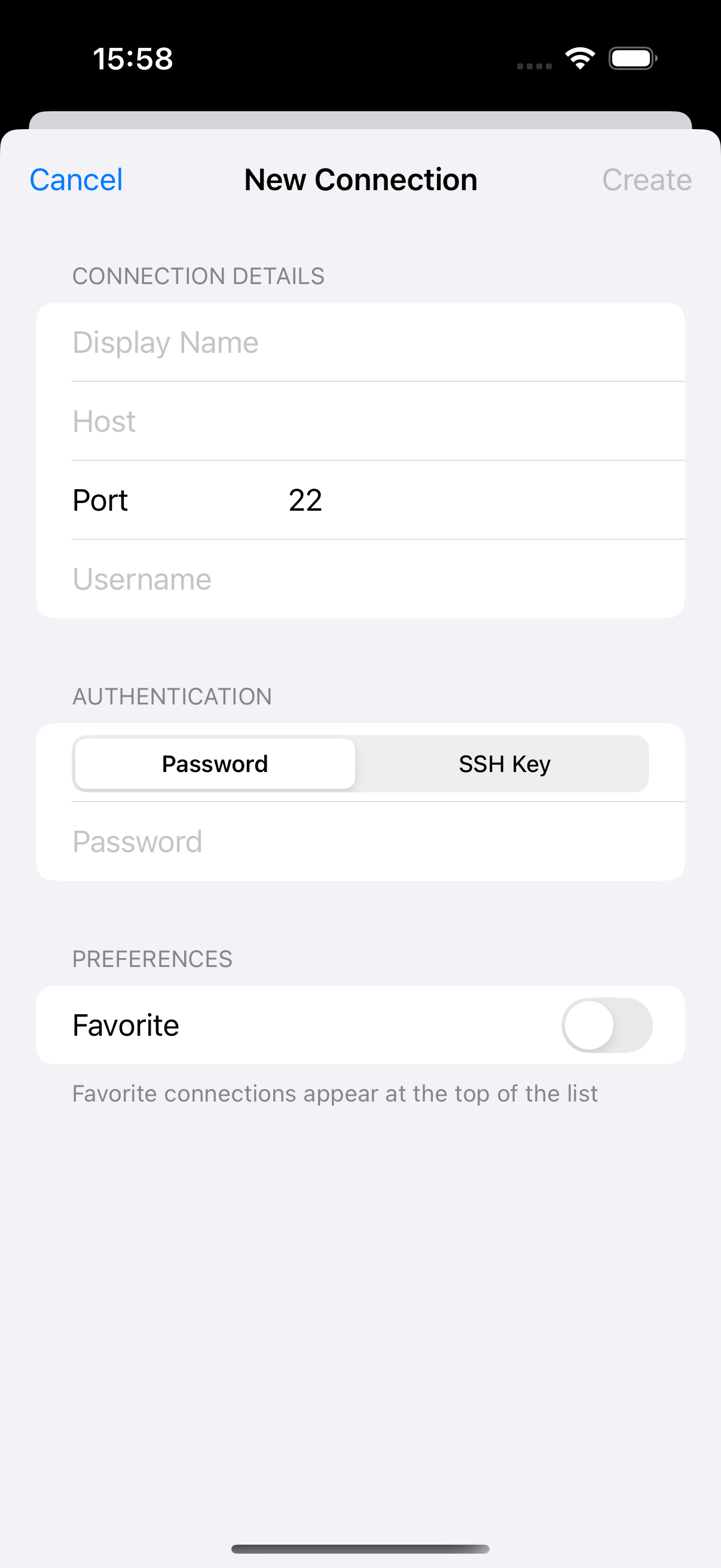
Multiple Authentication Methods
Connect using password authentication or SSH key-based authentication for enhanced security.
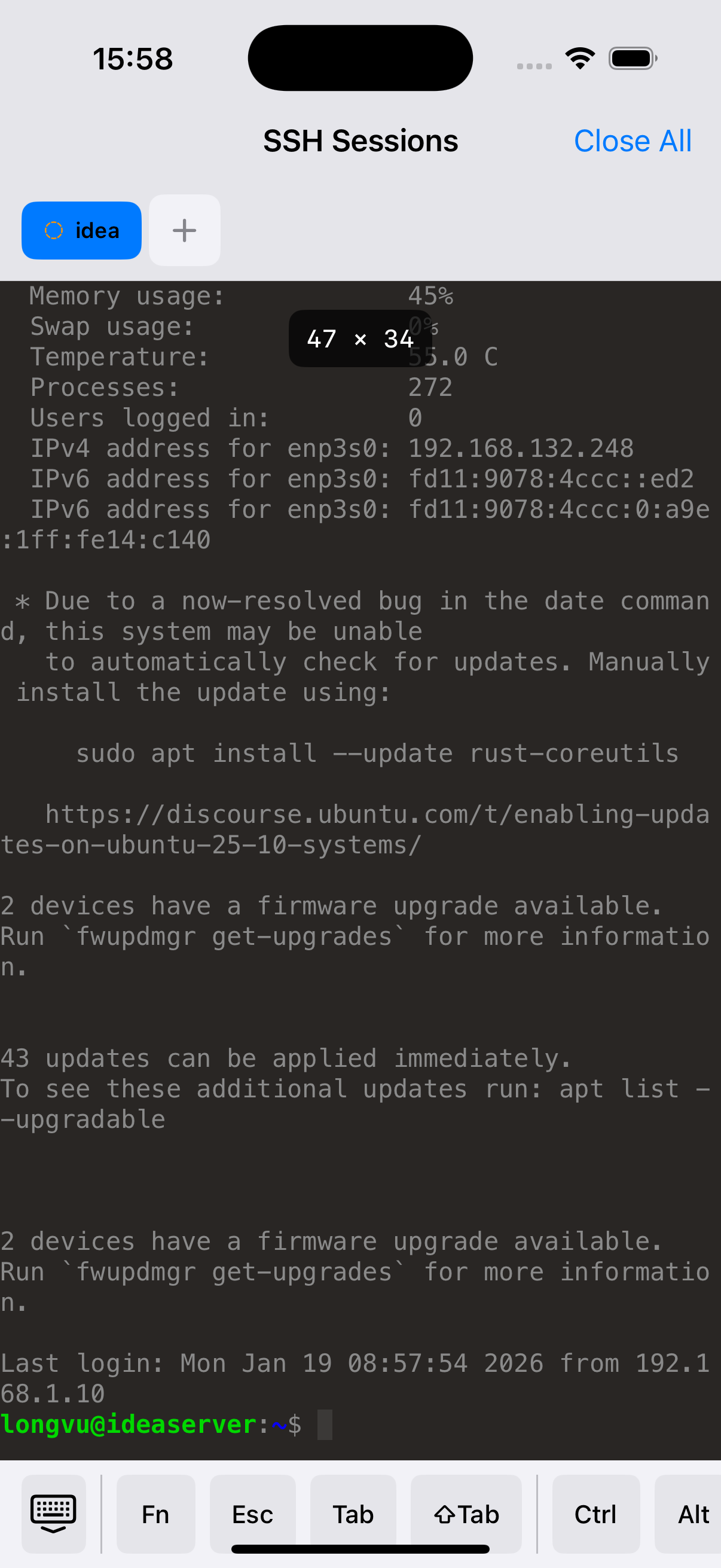
Full Terminal Experience
Interact with remote systems through a powerful terminal interface powered by SwiftTerm, with full command support.
Favorites & Search
Mark frequently used connections as favorites and quickly find connections with built-in search functionality.
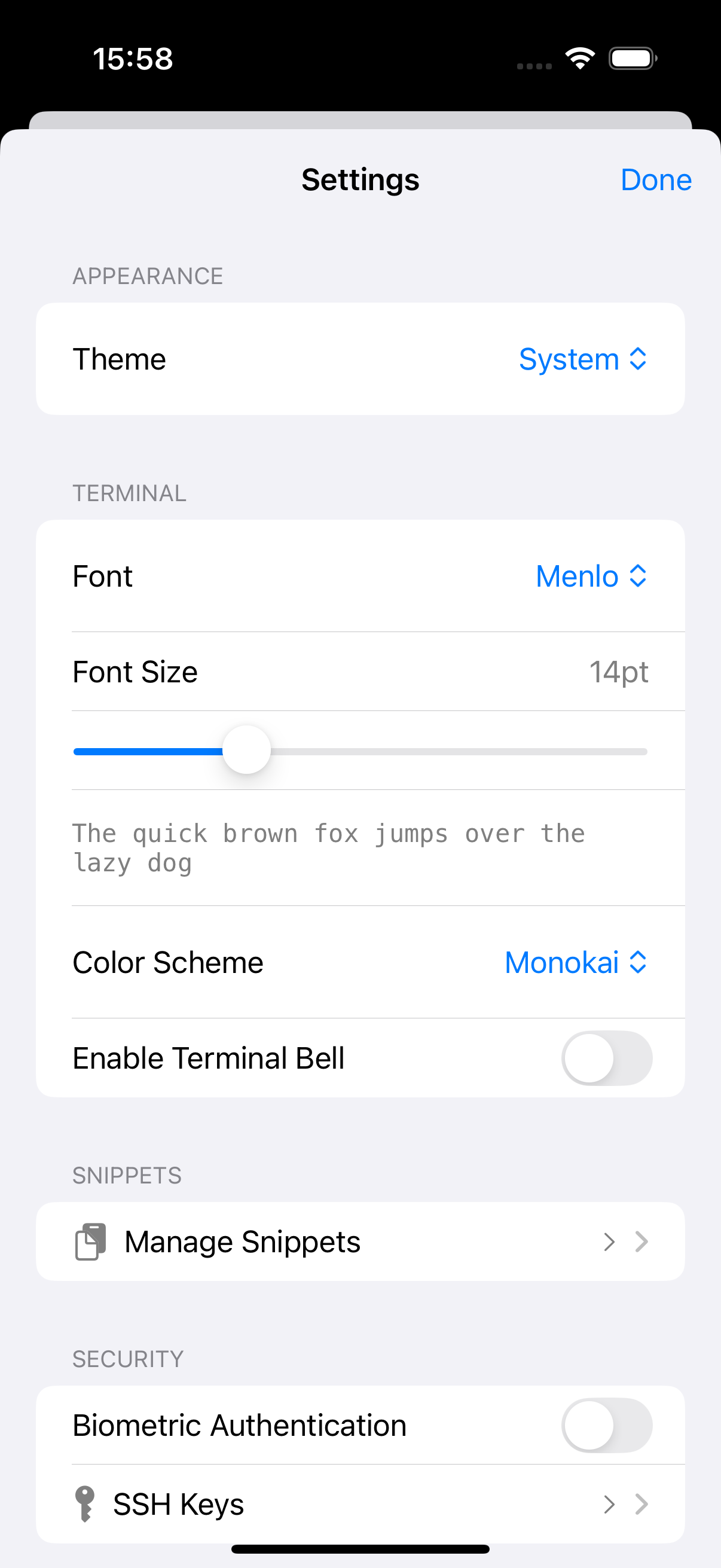
Customizable Interface
Choose between dark and light themes, adjust font sizes, and customize your terminal experience to match your preferences.
Host Key Verification
Enhanced security with SSH host key verification to protect against man-in-the-middle attacks.
App Preview
About sshy
sshy is a modern SSH connection manager and terminal client designed specifically for iOS. Built with SwiftUI and leveraging the power of Apple's native frameworks, sshy provides a seamless and secure way to manage your SSH connections on the go.
Key Features
- Connection Management: Store and organize unlimited SSH connections with custom display names and descriptions
- Secure Storage: All sensitive data is encrypted and stored in iOS Keychain using industry-standard security practices
- Terminal Emulation: Full-featured terminal interface powered by SwiftTerm for comprehensive command execution
- Biometric Authentication: Optional Face ID/Touch ID protection for accessing stored credentials
- Smart Sorting: Connections automatically sorted by favorites and last used timestamp
- Modern Design: Clean, intuitive interface built with SwiftUI following iOS design guidelines
Technology Stack
Perfect For
- System Administrators managing multiple servers
- Developers needing quick SSH access to development environments
- DevOps professionals monitoring and maintaining infrastructure
- Students learning system administration and networking
- Anyone who needs reliable SSH access from their iOS device
Support & Help
We're here to help you get the most out of sshy. Find answers to common questions and learn how to troubleshoot issues.
Getting Started
To get started with sshy:
- Launch the app and tap the "+" button to add your first SSH connection
- Enter your server details: hostname/IP address, port (default 22), username
- Choose your authentication method (password or SSH key)
- Tap "Save" to store your connection
- Tap on the connection to establish an SSH session
Frequently Asked Questions
How secure is my data?
sshy uses iOS Keychain Services to store all sensitive information including passwords and SSH keys. Data is encrypted using industry-standard encryption and is only accessible on your device. We use the highest security level: kSecAttrAccessibleWhenUnlockedThisDeviceOnly, ensuring your credentials are never backed up to iCloud or accessible from other devices.
Which authentication methods are supported?
sshy supports both password-based authentication and SSH key authentication. You can store multiple private keys securely in the Keychain and select which key to use for each connection.
Can I use SSH keys?
Yes! sshy supports SSH key-based authentication. You can import your private keys, and they will be stored securely in iOS Keychain. The app supports common key formats including RSA and Ed25519.
What happens to my connections if I reinstall the app?
Your connection data is stored using SwiftData and will persist across app updates. However, if you delete the app, all locally stored data including connections and Keychain entries will be removed. Consider backing up your connection details separately for important servers.
Does sshy work in the background?
Active SSH sessions may be terminated by iOS when the app moves to the background, as iOS manages background processes to preserve battery life. For long-running operations, consider using terminal multiplexers like screen or tmux on your remote server.
Troubleshooting
Connection Issues
- Cannot connect: Verify the hostname/IP address and port are correct. Ensure your device has internet connectivity.
- Authentication failed: Double-check your username and password/SSH key. Ensure your account has SSH access on the remote server.
- Connection timeout: The server may be unreachable or behind a firewall. Try connecting from another network.
- Host key verification failed: This occurs when the server's host key has changed. If you trust the server, you can accept the new key. Otherwise, this might indicate a security issue.
Terminal Issues
- Text appears garbled: Try adjusting the terminal font size in Settings. Some special characters may require specific terminal encoding.
- Commands not responding: Ensure you have an active connection. Try reconnecting to the server.
Contact Support
Can't find what you're looking for? Get in touch with our support team:
System Requirements
- iOS 17.0 or later
- iPhone, iPad, or iPod touch
- Active internet connection for SSH connections
Privacy Policy
Last Updated: January 19, 2026
Introduction
This Privacy Policy describes how sshy ("we", "our", or "the app") collects, uses, and protects your information. We are committed to protecting your privacy and ensuring the security of your data.
Information We Collect
sshy is designed with privacy in mind. The app stores the following information locally on your device:
- SSH Connection Details: Hostnames, IP addresses, port numbers, usernames, and connection display names
- Authentication Credentials: Passwords and SSH private keys (stored encrypted in iOS Keychain)
- Connection Metadata: Favorite status, last connection timestamps, and connection descriptions
- App Settings: User preferences such as theme selection (dark/light) and terminal font size
- Host Keys: SSH server host keys for security verification
How We Use Your Information
All information collected by sshy is used exclusively for the following purposes:
- Establishing and maintaining SSH connections to your specified servers
- Storing connection configurations for quick access
- Authenticating with remote servers using your credentials
- Verifying host keys to protect against man-in-the-middle attacks
- Personalizing your app experience based on your settings
Data Storage and Security
Local Storage Only: All your data is stored exclusively on your iOS device. We do not transmit any of your information to our servers or any third parties. sshy operates entirely offline except for the SSH connections you initiate to your own servers.
Keychain Security: Sensitive information including passwords and SSH private keys are stored in iOS Keychain using the highest security level:
- Encryption: AES-256 hardware-backed encryption
- Access Control:
kSecAttrAccessibleWhenUnlockedThisDeviceOnly - Device-Only: Credentials are never backed up to iCloud or synchronized to other devices
- Biometric Protection: Optional Face ID/Touch ID for credential access
SwiftData Storage: Non-sensitive connection metadata (hostnames, usernames, display names) is stored using SwiftData, Apple's native data persistence framework. This data is stored in the app's sandbox and is only accessible by sshy.
Data Sharing and Disclosure
We do not share, sell, or disclose your information to third parties. Your data never leaves your device except when you explicitly initiate an SSH connection to a server of your choosing.
The app does not contain:
- Analytics or tracking services
- Advertising networks
- Third-party SDKs that collect data
- Cloud backup of sensitive credentials
Data Retention and Deletion
Your data is retained on your device for as long as you use the app. You can delete your information at any time:
- Individual Connections: Swipe to delete connections from the connection list
- All Data: Deleting the app removes all stored data including connections and Keychain entries
- Keychain Data: Automatically deleted when the app is removed
SSH Connections
When you establish an SSH connection through sshy:
- The connection is made directly between your device and the specified server
- We do not intercept, monitor, or log your SSH sessions
- All data transmitted is encrypted using SSH protocol (end-to-end encryption)
- Your credentials are used only for authentication with the server you specify
Children's Privacy
sshy does not knowingly collect information from children under 13. The app is designed for technical users such as system administrators and developers. If you believe a child has provided information through the app, please contact us immediately.
Changes to This Privacy Policy
We may update this Privacy Policy periodically to reflect changes in the app or legal requirements. Updates will be posted with a new "Last Updated" date. Continued use of the app after changes constitutes acceptance of the updated policy.
Open Source
sshy's source code is available for review to ensure transparency in how your data is handled. You can verify our privacy practices by examining the code.
Your Rights
You have complete control over your data:
- Access: All your data is accessible within the app
- Modification: You can edit or update any connection at any time
- Deletion: You can delete individual connections or remove all data by deleting the app
- Portability: Connection details can be exported or manually recorded for transfer
Legal Compliance
sshy complies with applicable data protection laws including:
- General Data Protection Regulation (GDPR) for European users
- California Consumer Privacy Act (CCPA) for California residents
- Apple's App Store Review Guidelines and privacy requirements
Contact Us
If you have questions about this Privacy Policy or our data practices, please contact us at:
Email: hlongvu0201@gmail.com
Consent
By using sshy, you consent to this Privacy Policy and agree to its terms.